Government-issued ID (passport, driver's license, or national ID)
Active email address or phone number for account registration
Bank account (ACH), debit/credit card, or Apple/Google Pay
Step 01
Create Your OKX Account
~2 min
Step 02
Verify Identity (KYC)
10–30 min
Step 03
Enable 2FA Security
~3 min
Step 04
Deposit Funds
Instant – 2 days
Step 05
Buy Your First Crypto
~1 min
Step 06
View Your Portfolio
Instant
Create Your OKX Account
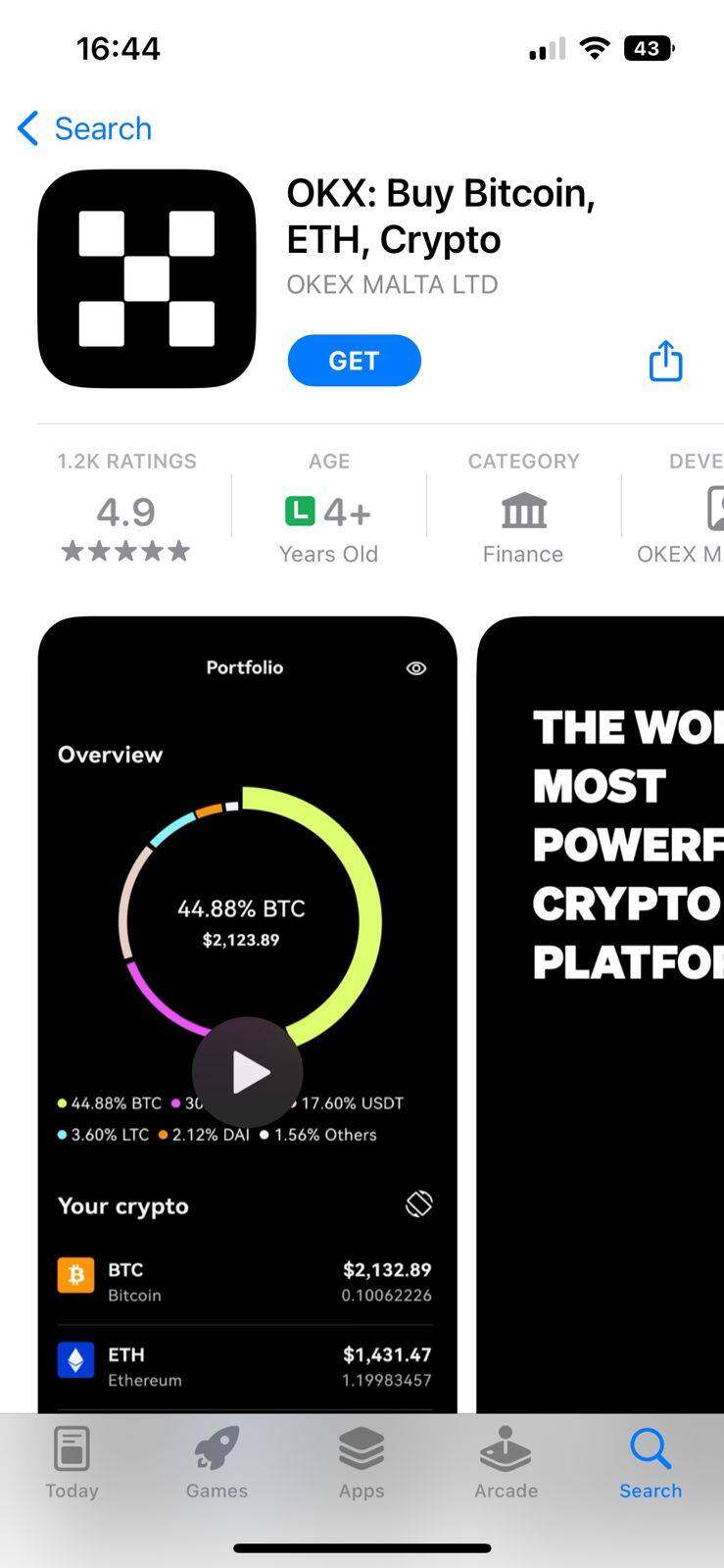
L0: Download the OKX app and sign up with your email or phone number — takes about 2 minutes.
1. Download the OKX app
Available on iOS App Store and Google Play. Alternatively, go to okx.com on desktop.
2. Open the app and tap 'Sign Up'
On the welcome screen, select Sign Up (not Log In). You can register with email or phone number.
3. Enter email/phone and set a password
Choose a strong password with letters, numbers, and symbols. This is your primary access credential.
4. Enter the verification code
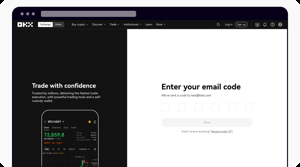
OKX sends a 6-digit code to your email/phone. Enter it to confirm your account. Code expires in 10 minutes.
5. Account is created
You'll land on the OKX home dashboard. KYC is required next before you can deposit or trade.
Tip: Use your real email address — you'll need it for 2FA and account recovery. OKX also has a web version at okx.com if you prefer desktop. The same account works across both app and web.
Verify Identity / KYC
L0: Upload your government ID and take a selfie. Approval takes 10–30 minutes and is required to withdraw funds.
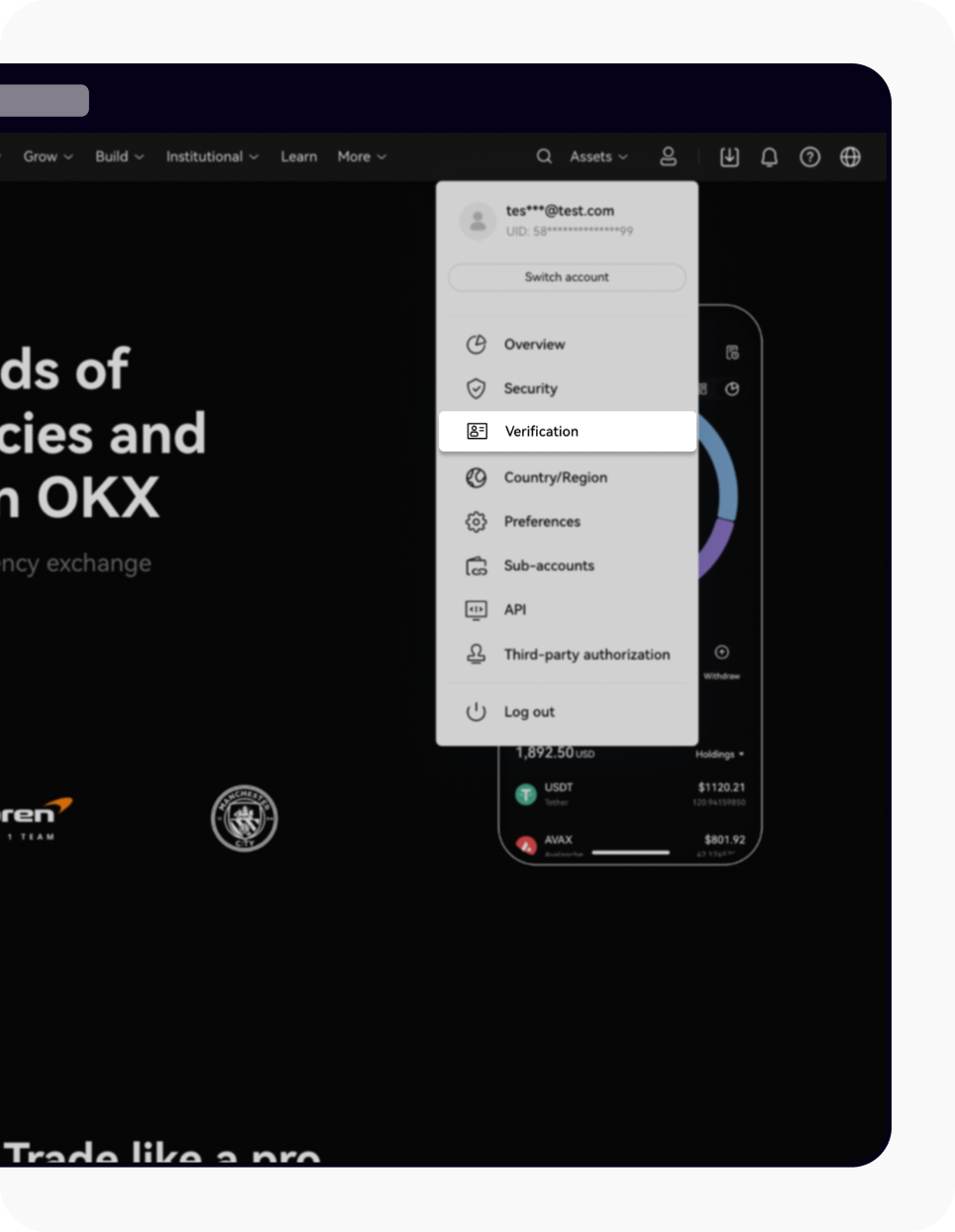
1. Go to Profile → Verification
Tap your profile icon at the top right. Select 'Verification' or 'Identity Verification' from the menu.
2. Select your document type
Choose from: Passport, National ID Card, or Driver's License. Passport typically processes fastest.
3. Upload front & back of your ID
Take clear, well-lit photos of both sides. Ensure all text is readable and there's no glare or shadows.
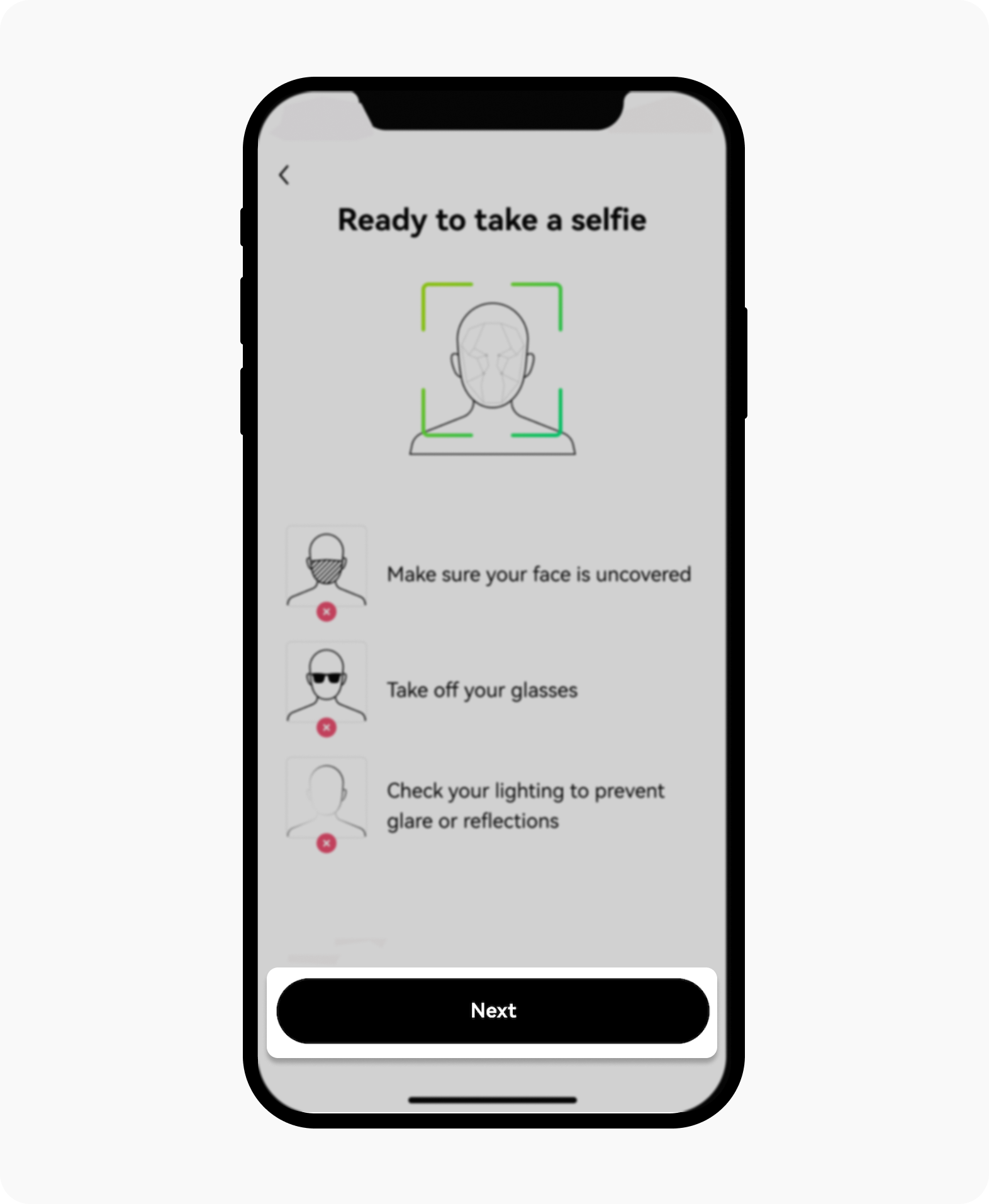
4. Complete the selfie/liveness check
OKX uses a quick face scan (not a static photo). Follow the on-screen instructions — usually takes 30 seconds.
5. Wait for approval
Typically 10–30 minutes. You'll receive an email and in-app notification when KYC is approved. Some verifications require manual review (up to 24h).
Important: Without completing KYC, withdrawal capabilities are severely restricted. You may be able to deposit and trade, but you cannot withdraw crypto to external wallets or fiat to your bank until Level 1 KYC is approved. Do this step before depositing real money.
Enable 2FA Security
L0: Enable Google Authenticator — it blocks 99% of unauthorized access attempts and is required for withdrawals.
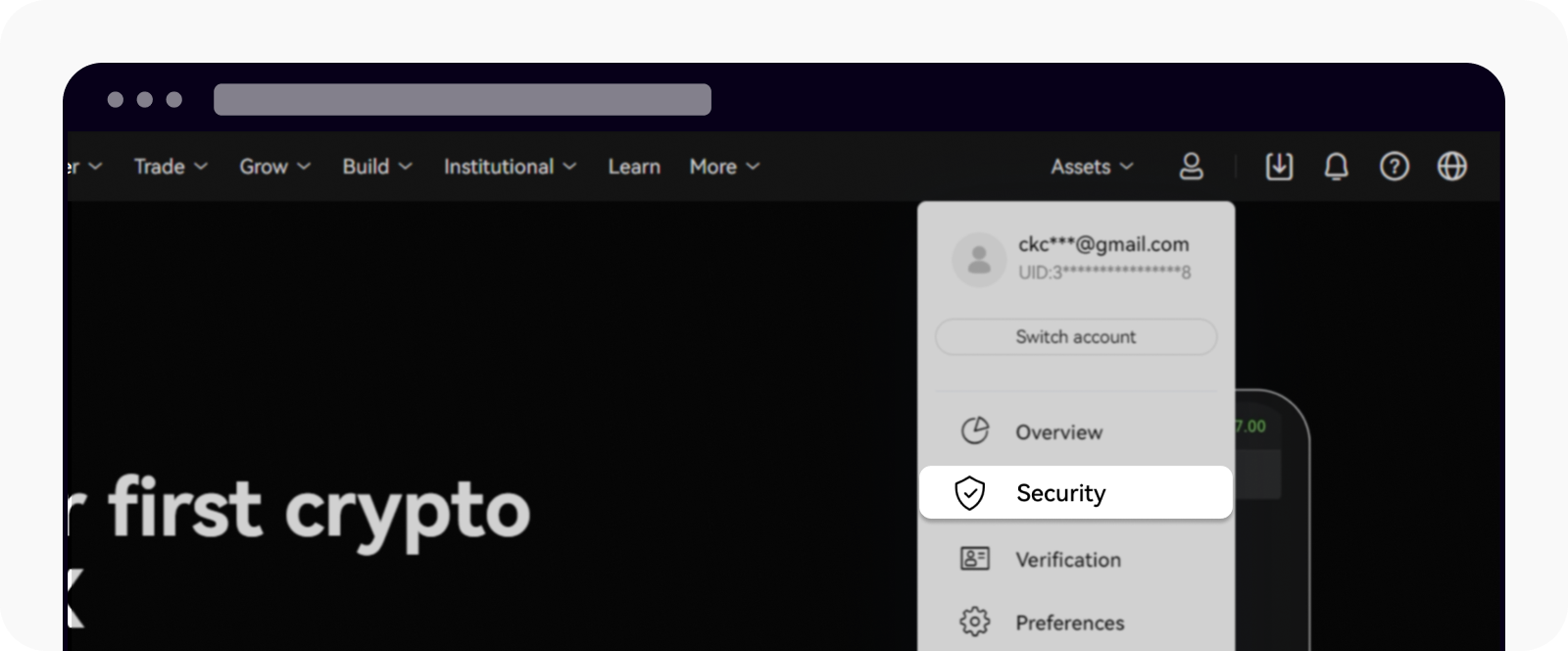
1. Go to Settings → Security
Tap your profile icon → Settings → Security Center. You'll see all available security options.
2. Select Google Authenticator
Under 2-Step Verification, tap 'Google Authenticator'. This is more secure than SMS 2FA — use this option.
3. Download Google Authenticator app
Install Google Authenticator or Authy on your phone (iOS or Android) if you don't already have it.
4. Scan the QR code
Open the Authenticator app → tap the + button → scan the QR code shown on OKX. It generates a 6-digit rotating code.
5. Save your backup codes
Write down or screenshot the backup codes OKX provides. If you lose your phone, these are your only way back into the account.
Security note from Ron: I've been trading on OKX since 2020. 2FA is non-negotiable — every exchange account I own has Google Authenticator enabled. SMS 2FA is vulnerable to SIM-swap attacks. Always use an authenticator app. Store your backup codes in a password manager or offline.
Deposit Funds
L0: OKX supports ACH bank transfer, debit/credit card, Apple Pay, Google Pay, and P2P trading with flexible payment methods.
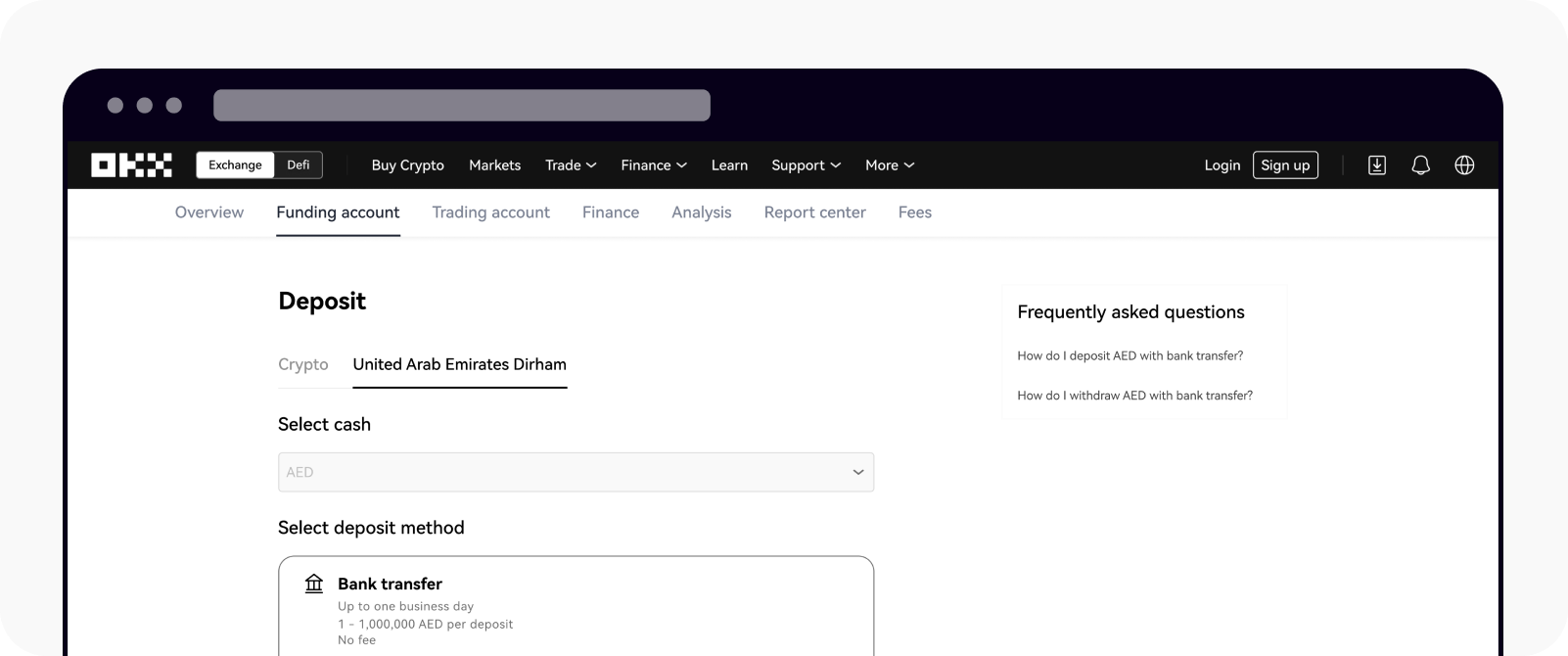
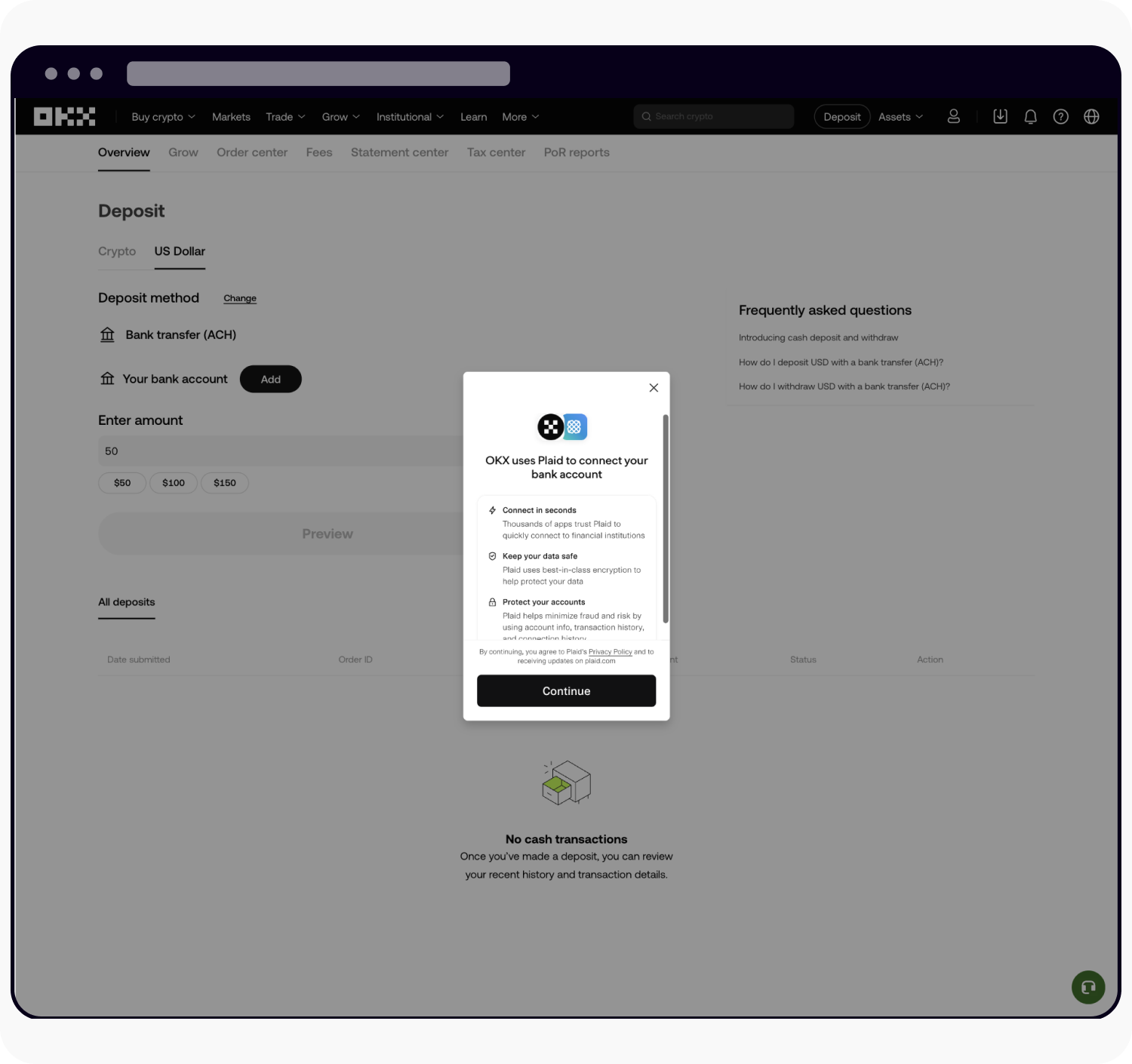
Ron's recommendation: For your first deposit, use ACH bank transfer — it's free and avoids the 2–3% card fee. Plan ahead since it takes 1–2 days. If you're in a hurry or testing with a small amount ($50–$100), card or Apple Pay are fine. The 2–3% fee on $100 is just $2–$3.
Buy Your First Crypto
L0: Tap Buy/Sell → select coin (BTC/ETH/SOL) → enter amount → choose payment → confirm. Done in under a minute.
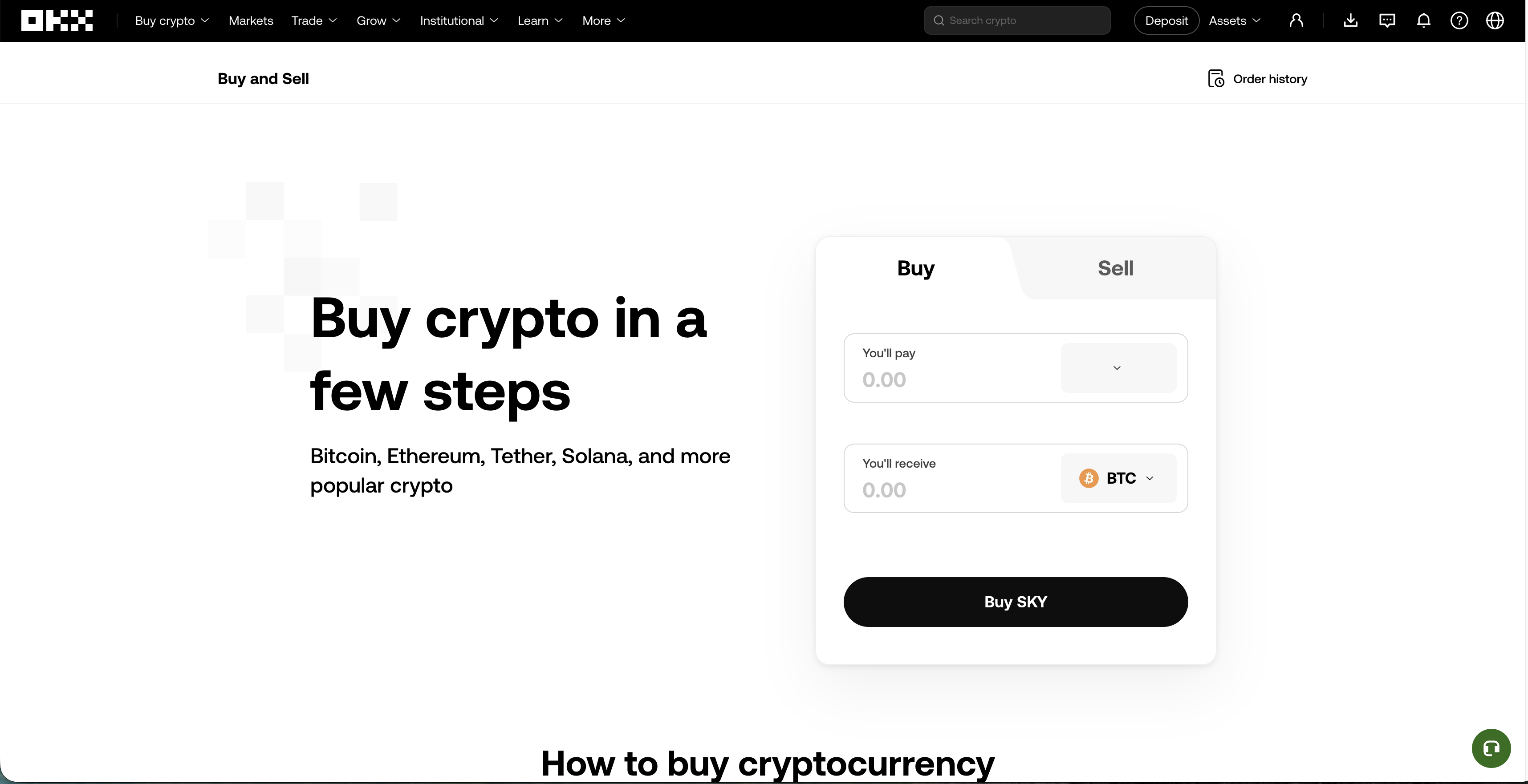
Step A: Choose Coin (BTC/ETH)
Tap 'Buy/Sell' → Select 'Buy'. Pick your coin — BTC or ETH recommended for first-time buyers.
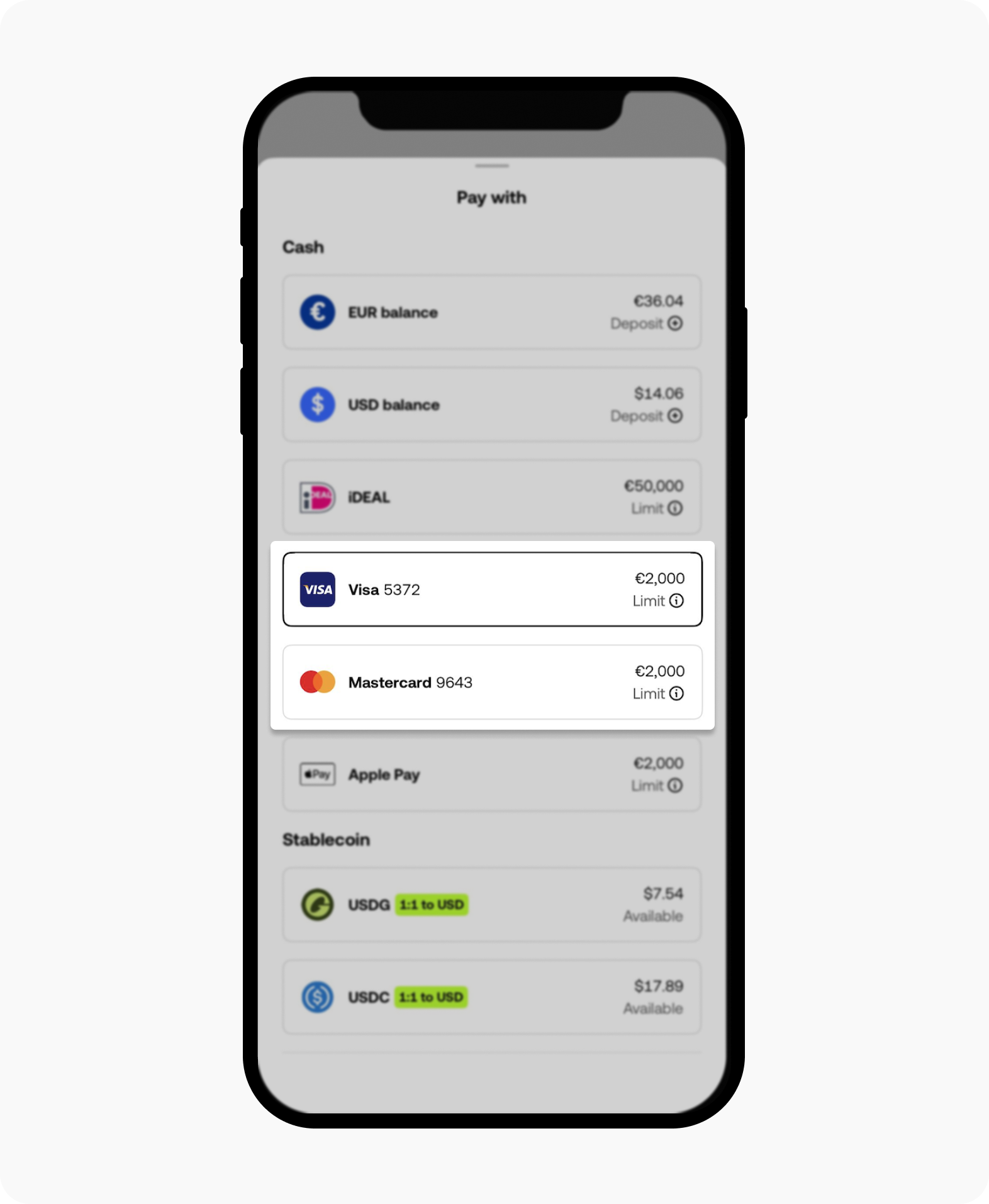
Step B: Buy with Debit/Credit Card
Select your saved card or add a new Visa/Mastercard. Enter the USD amount — OKX shows the exact crypto you'll receive before confirming.
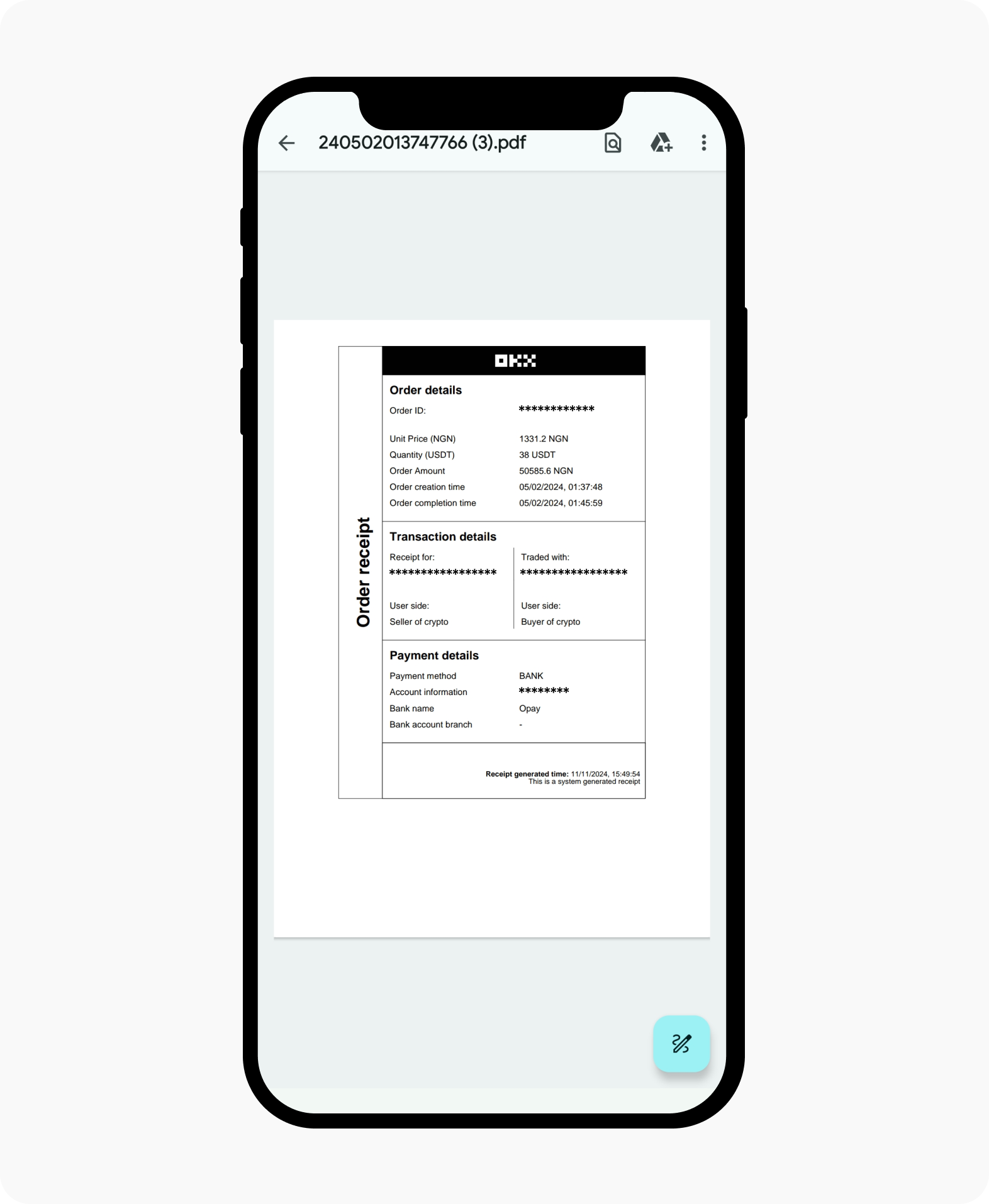
Step C: You Own Crypto!
The "You own crypto!" success screen confirms your purchase. Crypto appears instantly in My Assets — you're officially in.
Step-by-step in text
Tap 'Buy/Sell' in the bottom navigation bar
Select the crypto you want to buy (BTC, ETH, or SOL recommended for first purchase)
Enter the USD amount you want to spend (live prices update in real time)
Choose your payment method (ACH, card, Apple Pay, or P2P)
Review the fee and estimated crypto amount you'll receive
Tap 'Confirm' — the purchase executes and crypto appears in your wallet instantly
Ready to buy your first crypto on OKX?
0.08% maker fee · 300+ coins · Free ACH deposits · Monthly Proof of Reserves · Up to $10,000 welcome bonus.
View Your Portfolio
L0: Your crypto appears instantly in My Assets after purchase. Check balance, set alerts, and explore OKX Earn for staking.
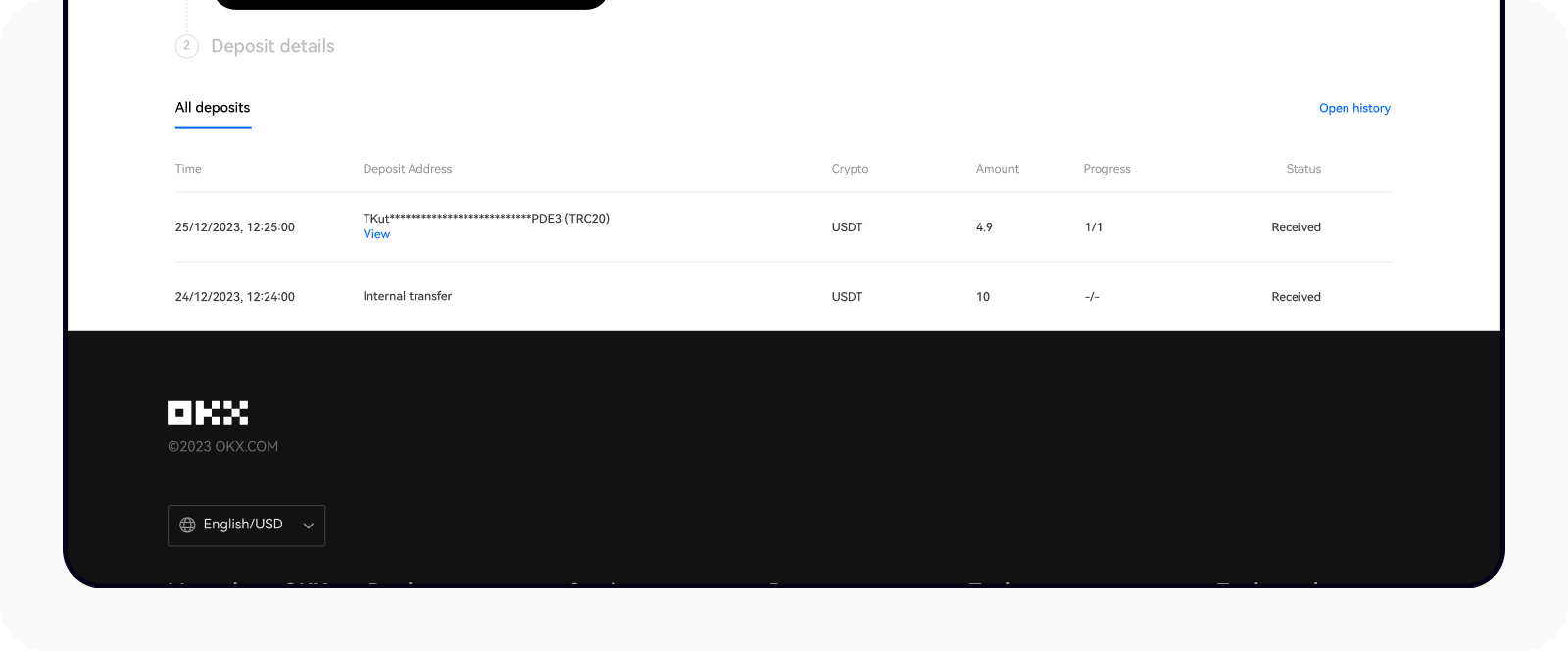
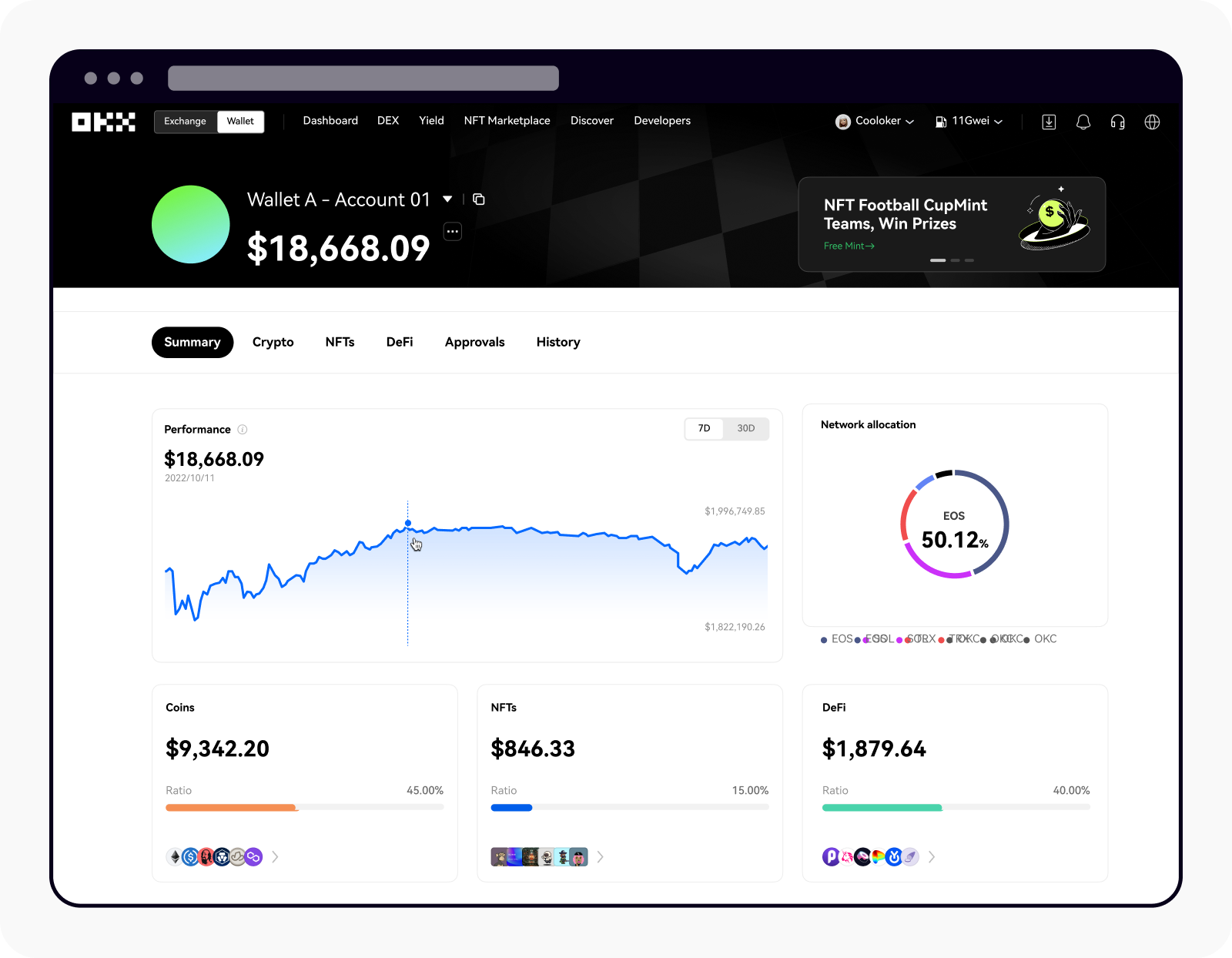
Check Balance
Go to My Assets to see your full portfolio. Shows total value in USD, individual coin balances, and 24h price change percentage.
Set Price Alerts
Tap any coin → Price Alert to get notified when BTC, ETH, or any coin hits your target price. Crucial for active monitoring.
Explore OKX Earn
OKX Earn lets you stake idle crypto for passive yield. Flexible USDT savings, ETH liquid staking, and fixed-term products available.
OKX Fees Breakdown
L0: 0.08% maker, 0.10% taker on spot — that's $0.80 and $1.00 per $1,000 traded. Among the lowest for retail traders.
OKX has a competitive fee structure for retail traders. At the standard tier (no OKB token), spot maker is 0.08% and spot taker is 0.10%. This is lower than Binance's 0.10% standard tier and significantly lower than Coinbase's 0.40–0.60% on Advanced Trade.
OKB token holders receive up to 20% discount on all fees. For futures trading, OKX charges 0.02% maker / 0.05% taker — excellent for anyone graduating from spot to derivatives.
OKB token tip: Holding OKB in your spot account reduces all fees by up to 20%. OKX also has a VIP program — VIP5 spot maker drops to 0.00%. Most beginners don't need to worry about VIP tiers immediately, but the 20% OKB discount is worth activating even at small volumes.
Which Crypto to Buy First?
L0: Start with Bitcoin (BTC) or Ethereum (ETH). You can buy as little as $20 worth of any coin — no need to buy a whole coin.
Bitcoin (BTC)
"Digital Gold" — the safest entry point
Bitcoin is the largest, most liquid, and most widely held cryptocurrency. It's the best starting point for beginners — lower volatility than altcoins, deepest market, and the closest crypto has to a "safe" asset. I allocate BTC first before anything else.
Ethereum (ETH)
"Smart Contract Layer" — #2 by market cap
Ethereum is the foundation of DeFi, NFTs, and most major blockchain applications. More volatile than BTC but with strong fundamentals. ETH is also the token you need for gas fees if you ever explore DeFi or Web3 wallets.
USDT / USDC
"Stablecoins" — USD-pegged, no price risk
USDT and USDC are always worth $1. Useful if you want to park money on OKX without exposure to crypto price swings. Also the easiest way to access OKX Earn staking products for passive yield.
Solana (SOL)
"Fast & Cheap" — high-speed blockchain
Solana is the fastest major blockchain — 65,000 TPS vs Ethereum's ~15 TPS. High growth potential but more volatile than BTC/ETH. Good for those who want more risk/reward exposure beyond the top two.
Ron's first purchase suggestion: If you're completely new to crypto, start with a small BTC purchase ($50–$100) as a learning experience. You don't need to buy a whole coin — you can own 0.001 BTC. Bitcoin is the simplest to understand and the hardest to lose sleep over. Once you understand how it works, branch into ETH or other assets.
5 Safety Tips for New OKX Users
L0: The biggest risk for beginners isn't price drops — it's avoidable security mistakes. Follow these 5 rules.
01. Always Enable 2FA (Google Authenticator, Not SMS)
SMS 2FA is vulnerable to SIM-swap attacks. Use Google Authenticator or Authy instead. This single step blocks the vast majority of account takeover attempts. Set it up before your first deposit — not after.
02. Start Small: $50–$100 for Your First Purchase
Don't invest rent money or savings you can't afford to lose. Start with $50–$100 to learn how OKX works — deposits, purchases, viewing your portfolio. Crypto can drop 30–50% in weeks. Only scale up once you understand the risk.
03. Never Share Your Seed Phrase or Account Credentials
OKX (and no legitimate exchange) will ever ask for your password or recovery codes. If anyone contacts you claiming to be OKX support asking for credentials — it's a scam. Store backup codes offline. Never screenshot them and store in cloud.
04. Verify the URL Before Logging In
Phishing sites copy OKX's design exactly. Always type okx.com directly or use a saved bookmark. Check for 'okx.com' in the browser URL bar — not 'okx-exchange.com', 'okx.io', or any variation. Phishing is the #1 way people lose exchange funds.
05. Enable Withdrawal Address Whitelisting
OKX allows you to whitelist specific withdrawal addresses — so even if someone gains account access, they can't send your crypto to an unknown wallet. Enable this once you know your regular withdrawal destinations. Found under Security → Withdrawal Address Management.
OKX Pros and Cons for Beginners
L0: OKX is a strong choice for most beginners — low fees, free deposits, and a clean app. Main downside: card fees ~2–3%.
Pros
- 0.08% spot maker fee — beats Binance and Bybit at standard tier
- 300+ coins, 770+ trading pairs — wide selection for any portfolio
- Free ACH deposits — no cost to fund your account via bank transfer
- Monthly Proof of Reserves — independently audited 1:1 backing
- Built-in Web3 wallet — access DeFi, DEXs across 100+ chains
- OKX Earn — stake idle assets for passive yield directly in-app
- Copy trading — follow experienced traders automatically
Cons
- Card fees ~2–3% — expensive if you use debit/credit card for large deposits
- Regional restrictions — not available in US, Cuba, Iran, North Korea, and some others
- KYC mandatory — no significant trading without full identity verification
- Interface can be complex — advanced features may overwhelm complete beginners initially
- Customer support response can be slow — 24–48h for complex issues
Start Buying Crypto on OKX Today
0.08% maker fee · 300+ coins · Free ACH deposits · Monthly Proof of Reserves · Web3 wallet built-in. The exchange I've trusted for real trades since 2020.
Open OKX Account — Up to $10K BonusI've used OKX since 2020 for spot trading, perpetual futures, options, and DeFi via their Web3 wallet. For beginners specifically, OKX is a solid choice — the 0.08% maker fee is genuinely one of the lowest in the industry, the app is clean once you understand the layout, and the Proof of Reserves program adds meaningful trust.
My honest take: OKX is better for intermediate-to-advanced traders than pure beginners. If you're buying your first crypto ever, Bybit or Binance might have a slightly more beginner-friendly onboarding flow. But OKX grows with you — once you're ready for futures, options, or DeFi, it's all built into the same account.
The most common beginner mistake I see on OKX: using a card for large deposits and paying 2–3% unnecessarily. Always ACH if you're depositing $500+. The 1–2 day wait is worth the savings.